English | [简体中文](./README.zh-CN.md)
An open-source toolbox based on Electron, freely integrating rich plugins to create the ultimate desktop productivity tool. Rubick is one of the heroes in Dota, whose core skill is the ability to use the skills of other heroes through plugins, and then move on. This aligns perfectly with the design philosophy of this tool, which is why it is named Rubick.
## Sponsor
我们通过有偿的方式积累高质量的常见问题、最佳实践文档,加入星球后可以和作者进行互动和答疑。我们提供技术支持、答疑解惑、定制化插件开发、二次定制化开发 rubick 等等官方服务。
权益明细可以参考文档:[权益明细](https://rubickcenter.github.io/rubick/super/)
 ## Installation package
* [Rubick Mac OS](https://github.com/rubickCenter/rubick/releases)
* [Rubick Windows](https://github.com/rubickCenter/rubick/releases)
* [Rubick Linux](https://github.com/rubickCenter/rubick/releases)
## Feature list
- [x] Plugin management based on the npm package pattern, installing plugins is as simple as installing npm packages.
- [x] Supports WebDAV for multi-device data synchronization, ensuring true data security synchronization.
- [x] A unique system plugin mode that allows plugins to become an integral part of Rubick.
- [x] Supports the quick launch of local apps, files, and folders.
- [x] Supports enterprise-level intranet deployment.
- [x] Supports multiple languages.
## Docs
[Rubick website](https://rubick.vip)
[Rubick Docs](https://rubickCenter.github.io/rubick/)
## Core functionality showcase.
### 1. Search system application
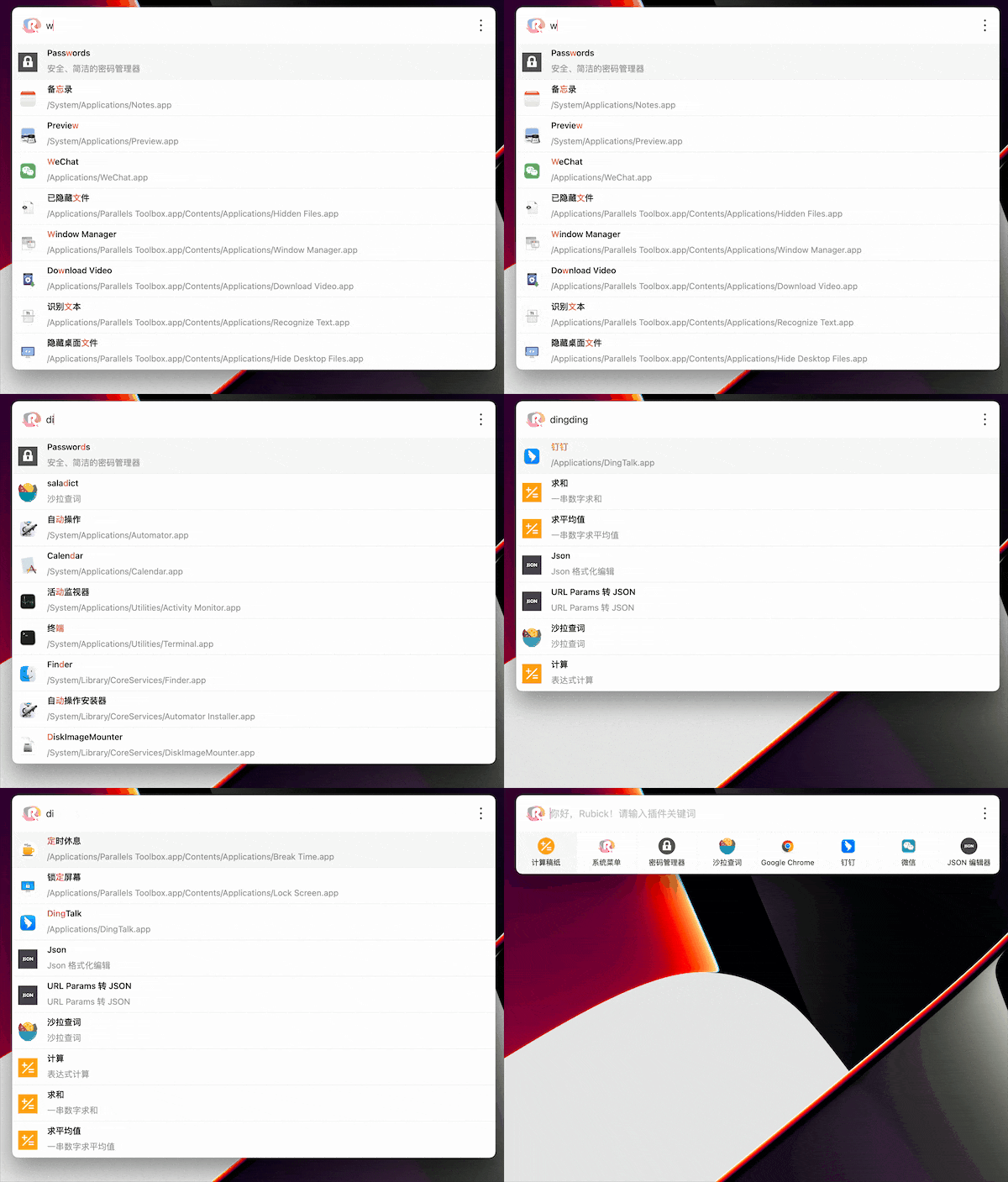
Support pinyin and abbreviations to search system applications:
### 2. UI plug-in installation
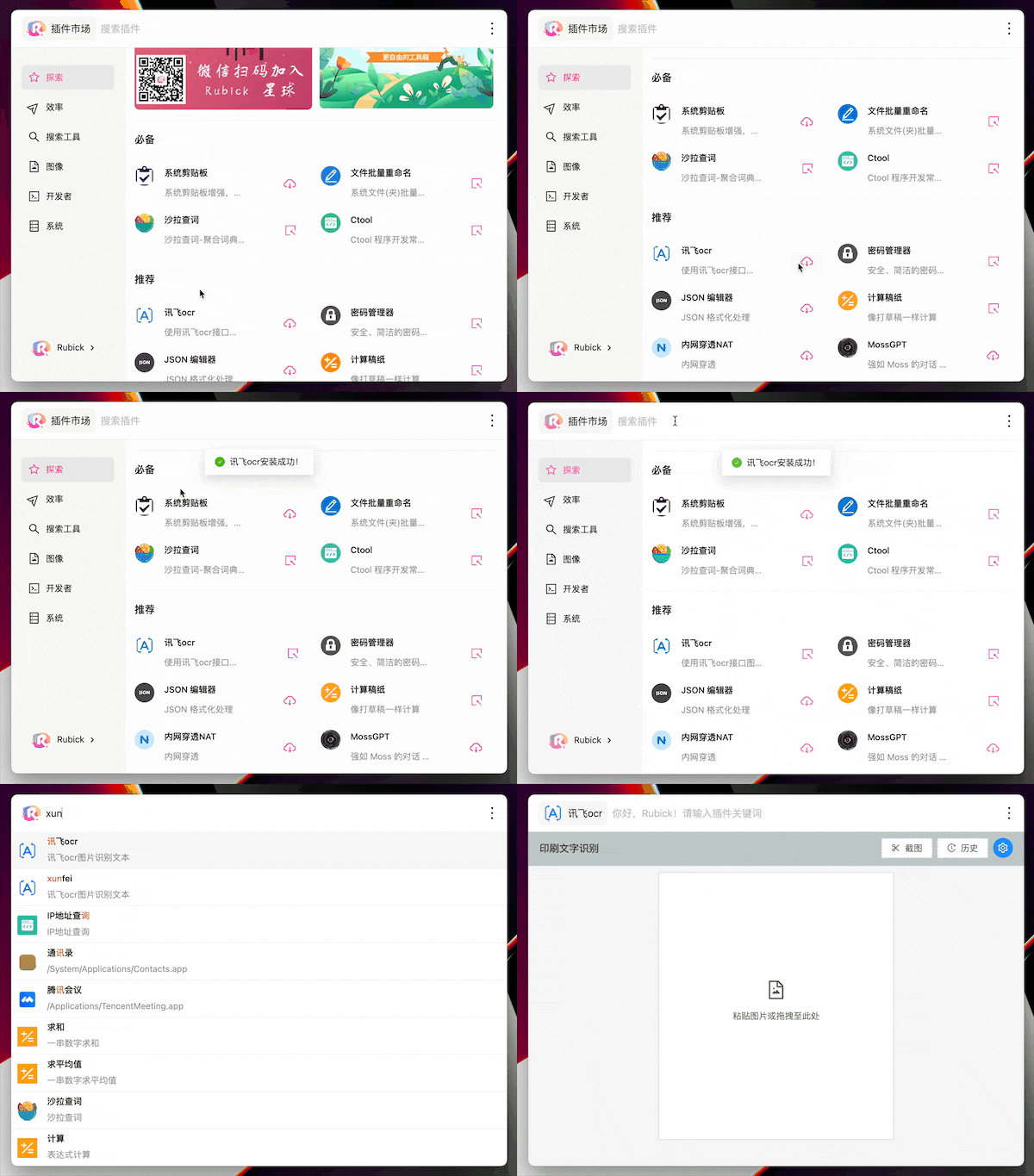
Click the `rubick` icon on the right side of the search box to enter the plug-in market, select the desired plug-in, and click the download button to download. After the download is complete, you can find the installed plug-in under the Installed tab
After the installation is complete, enter the plug-in call up command to use the corresponding plug-in:
### 3. System plug-in installation
The system plug-in installation method is the same as that of the UI category. In the plug-in market, select the `system category` and find the system plug-in that suits you to install it.
```
After the system plug-in is installed successfully, rubick needs to be restarted to take effect
```
### 4. Multi-device data synchronization based on WebDAV.
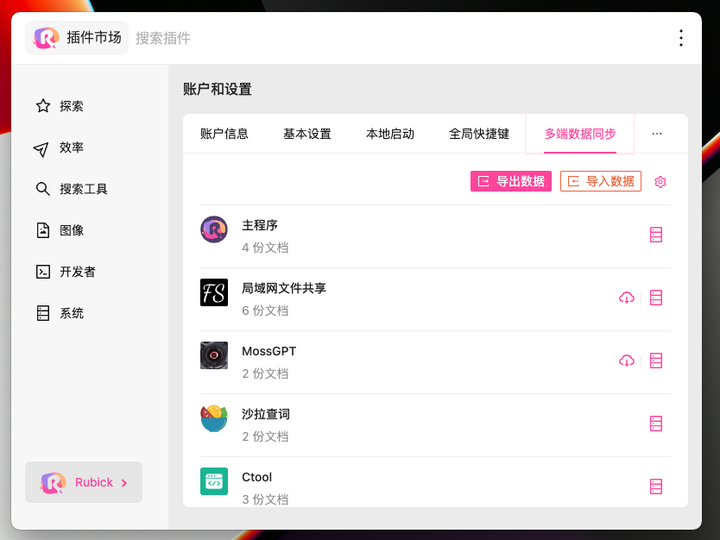
In "Rubick," search for "Preferences," go to "Account and Settings," and then select "Multi-Device Data Synchronization." You can export and import data for the use of Rubick plugins.
### More features
If you need more features, please come here to give us suggestions:[issues](https://github.com/rubickCenter/rubick/issues) 。
We will add valuable ideas to the later development. At the same time, welcome to join and build together。
## 贡献
This project exists thanks to all the people who contribute. [[Contribute](https://github.com/rubickCenter/rubick/graphs/contributors)].
## Installation package
* [Rubick Mac OS](https://github.com/rubickCenter/rubick/releases)
* [Rubick Windows](https://github.com/rubickCenter/rubick/releases)
* [Rubick Linux](https://github.com/rubickCenter/rubick/releases)
## Feature list
- [x] Plugin management based on the npm package pattern, installing plugins is as simple as installing npm packages.
- [x] Supports WebDAV for multi-device data synchronization, ensuring true data security synchronization.
- [x] A unique system plugin mode that allows plugins to become an integral part of Rubick.
- [x] Supports the quick launch of local apps, files, and folders.
- [x] Supports enterprise-level intranet deployment.
- [x] Supports multiple languages.
## Docs
[Rubick website](https://rubick.vip)
[Rubick Docs](https://rubickCenter.github.io/rubick/)
## Core functionality showcase.
### 1. Search system application
Support pinyin and abbreviations to search system applications:

### 2. UI plug-in installation
Click the `rubick` icon on the right side of the search box to enter the plug-in market, select the desired plug-in, and click the download button to download. After the download is complete, you can find the installed plug-in under the Installed tab
After the installation is complete, enter the plug-in call up command to use the corresponding plug-in:

### 3. System plug-in installation
The system plug-in installation method is the same as that of the UI category. In the plug-in market, select the `system category` and find the system plug-in that suits you to install it.
```
After the system plug-in is installed successfully, rubick needs to be restarted to take effect
```
### 4. Multi-device data synchronization based on WebDAV.
In "Rubick," search for "Preferences," go to "Account and Settings," and then select "Multi-Device Data Synchronization." You can export and import data for the use of Rubick plugins.

### More features
If you need more features, please come here to give us suggestions:[issues](https://github.com/rubickCenter/rubick/issues) 。
We will add valuable ideas to the later development. At the same time, welcome to join and build together。
## 贡献
This project exists thanks to all the people who contribute. [[Contribute](https://github.com/rubickCenter/rubick/graphs/contributors)].  ## 反馈
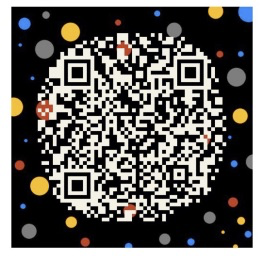
对本项目有兴趣或者想要交流学习的同学可以扫码加下面的微信,备注 rubick,帮助我们更好的成长:
## License
This project is licensed under the MIT License - see the [LICENSE](https://github.com/rubickCenter/rubick/blob/master/LICENSE) file for details.
## 反馈
对本项目有兴趣或者想要交流学习的同学可以扫码加下面的微信,备注 rubick,帮助我们更好的成长:

## License
This project is licensed under the MIT License - see the [LICENSE](https://github.com/rubickCenter/rubick/blob/master/LICENSE) file for details.




